Linux Sudoers File Configuration: A Practical Guide with Examples
The /etc/sudoers file is the gatekeeper of privileged access on a Linux system. This guide breaks down its syntax with clear examples and diagrams to help you configure it safely and effectively.
First Rule of Sudoers: Always Use visudo
Never edit /etc/sudoers directly with a regular text editor. Always use:
/usr/local/etc/sudoers
sudo visudo
The visudo command locks the file, prevents simultaneous edits, and performs a syntax check before saving, saving you from a catastrophic mistake.
Sudoers Syntax: The Basics
A sudoers rule follows this general structure:
USER HOST = (RUNAS_USER) [NOPASSWD:] COMMANDS
- USER: Who the rule applies to (e.g.,
john,%admin). - HOST: Which host(s) the rule applies to (useful in shared sudoers files).
- RUNAS_USER: Which user(s) the command can be run as (e.g.,
root,www-data). - NOPASSWD: Optional. Allows the command to be run without a password.
- COMMANDS: The specific commands allowed.
Example 1: Defining Aliases for Clarity
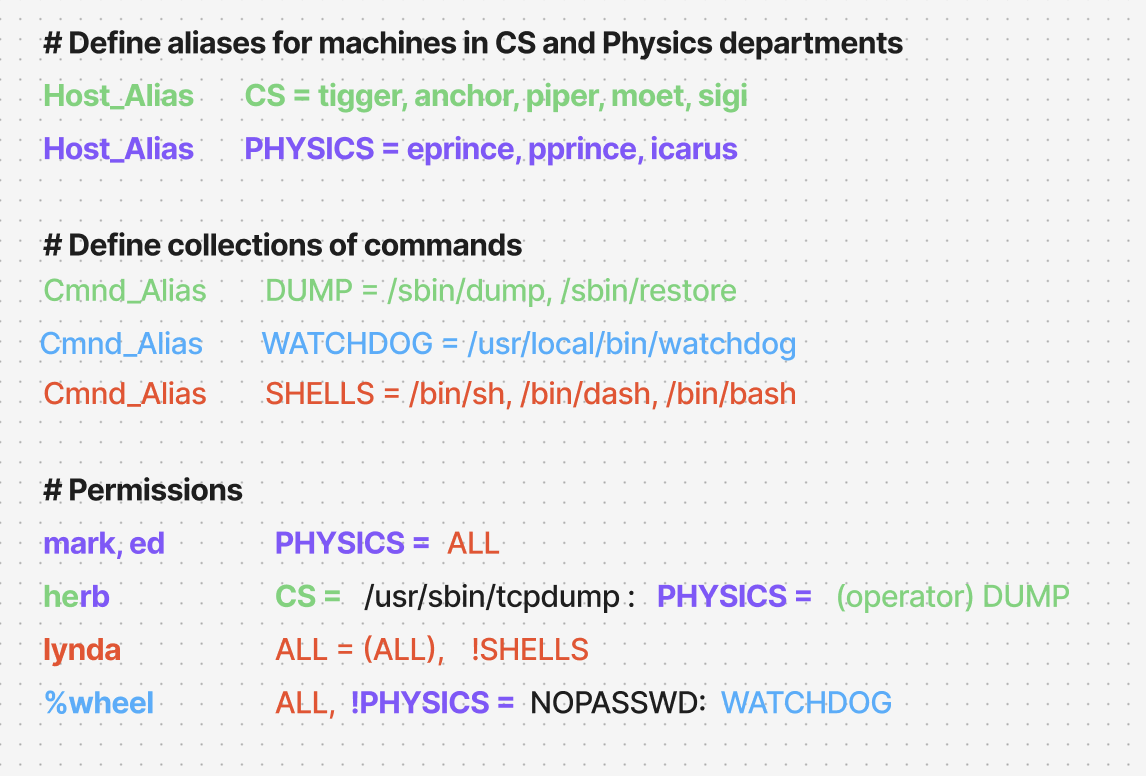
The real power of sudoers is using aliases to group users, commands, and hosts. This makes rules reusable and easier to read.
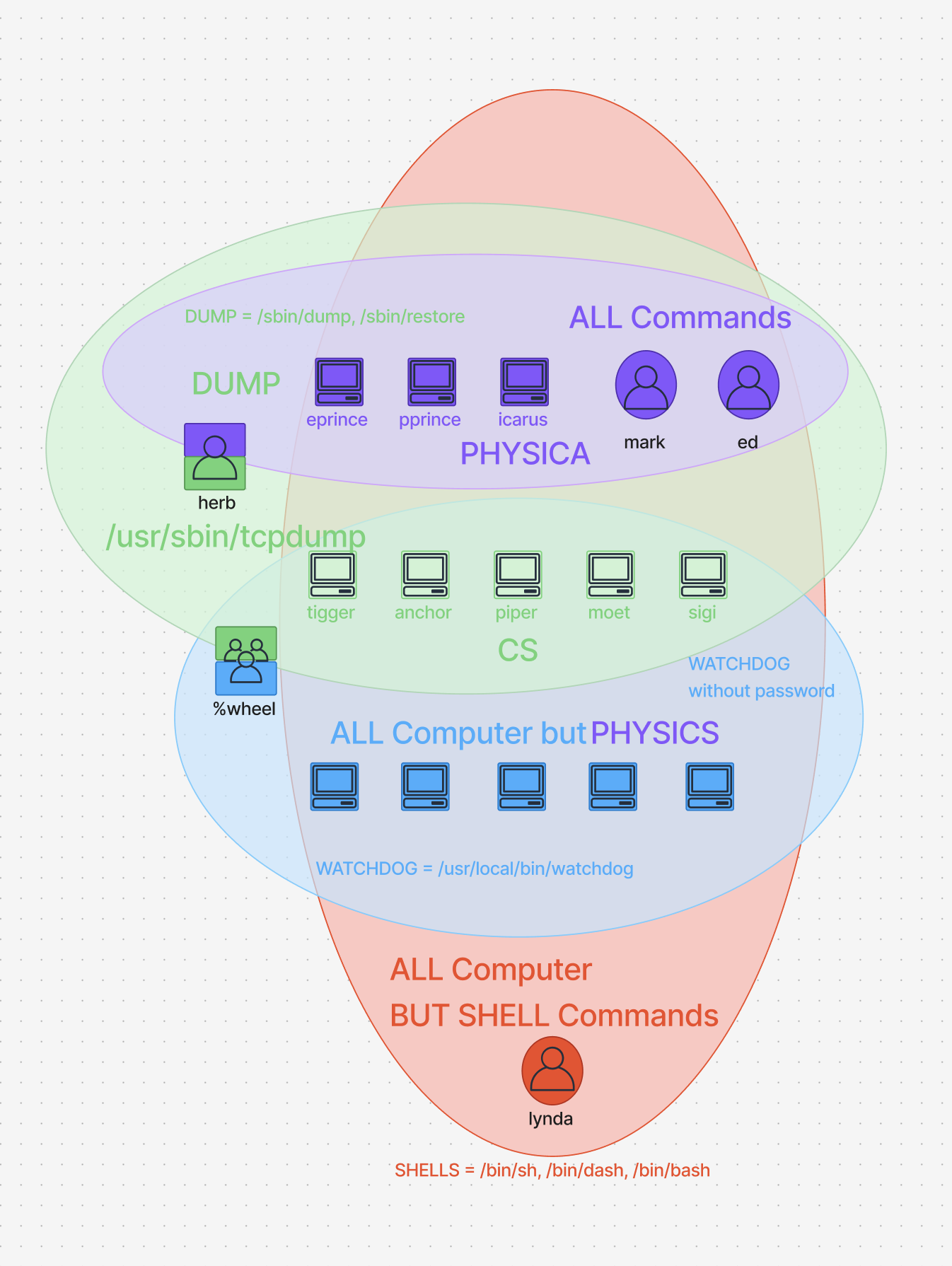
Here is the diagram:
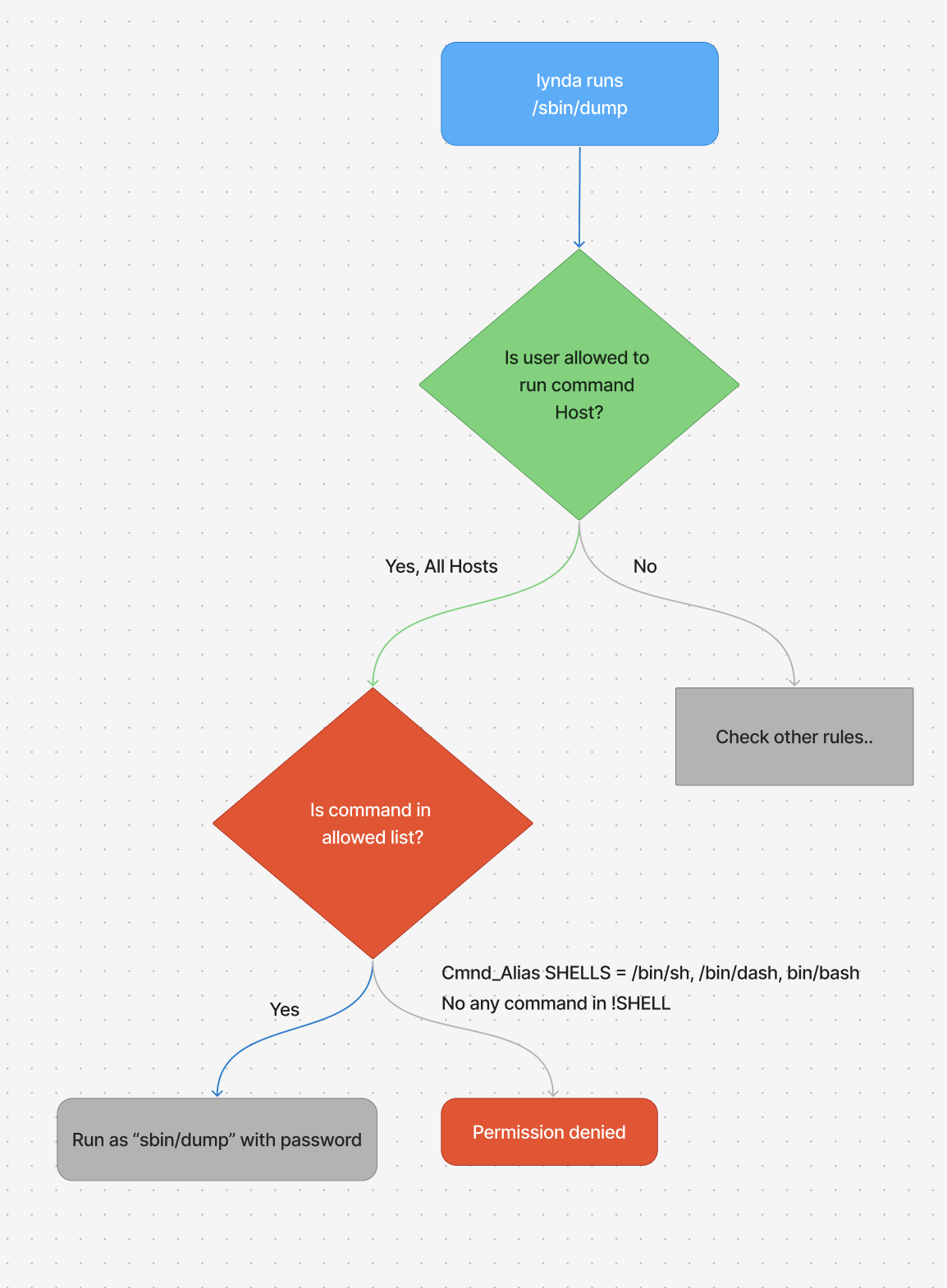
Lets test the following line

This mean user lynda can run ALL commands except !SHELLS on ALL Hosts. for this example lets imagine lynda runs /sbin/dump on tigger Host

in the next example lynda runs /bin/sh on tigger Host, which is a SHELLS command and lynda is not allowed to run it.
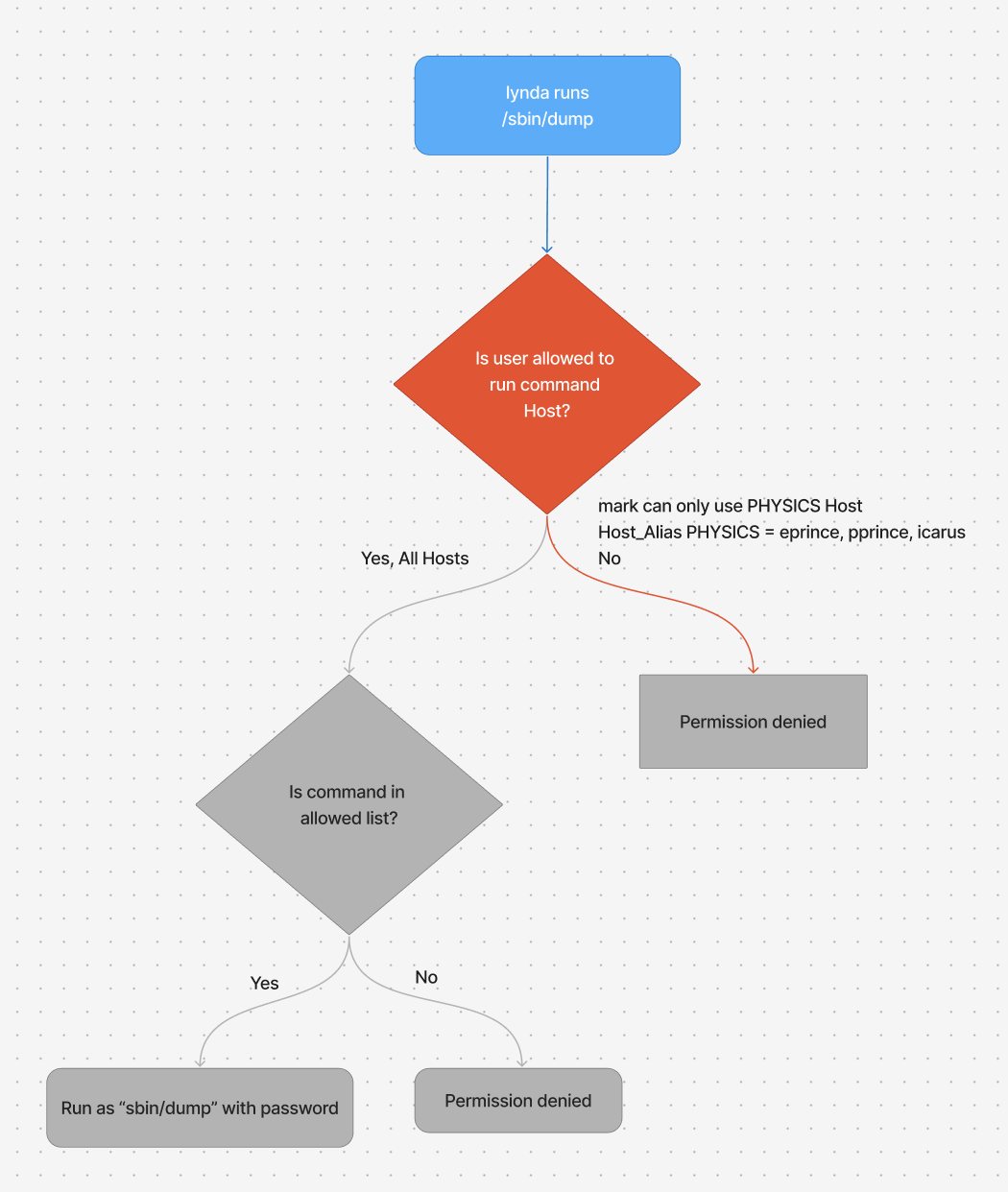
Lets explain another line

Here mark is trying to run /sbin/dump on trigger host, which is part of CS hosts and mark is not allowed to run commands on these hosts.
sudo vs advanced access control
User_Alias	ADMINS = alice, bob, charles
ADMINS			ALL = (ALL) ALL
Evn variable EDITOR is set to hacker's malicious program, if you run sudo visudo you are runing the hacker's program.
So, pass only a minimal, sanitized environment to the commands that it runs.
Defaults	env_keep += "SSH_AUTH_SOCK"
Defaults 	env_keep += "DESPLAY XAUTHORIZATION XAUTHORITY"
sudo without password
Use case are remote configuration such as Ansible or when running commands out of cron
- sudoers file
ansible ALL= (ALL) NOPASSWD: ALL
Example 2: Practical Permission Rules
Now, let's use our aliases to create clear and powerful rules.
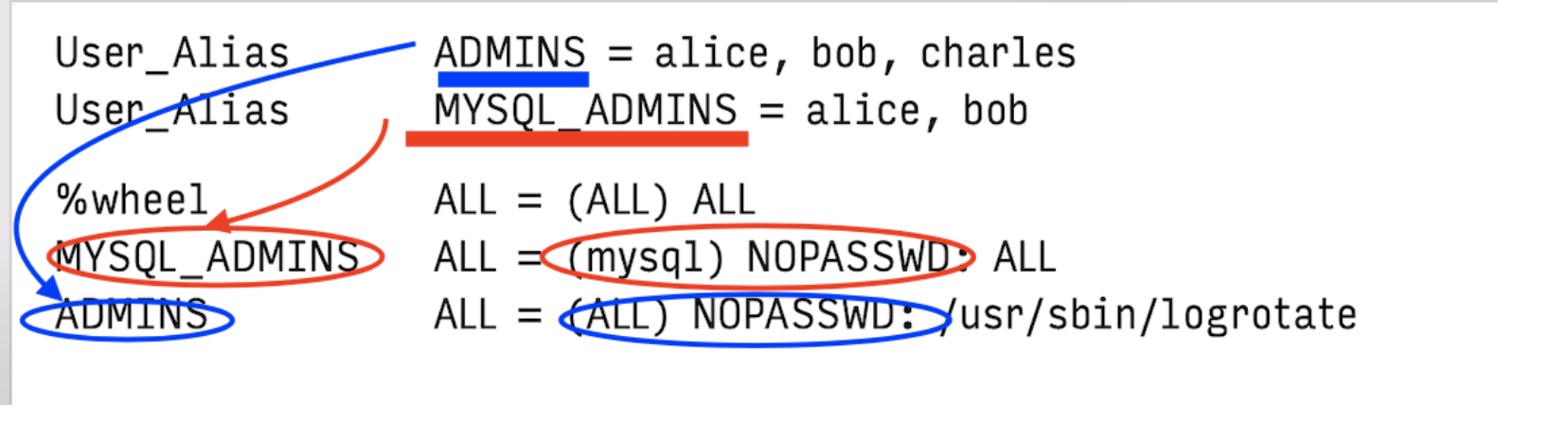
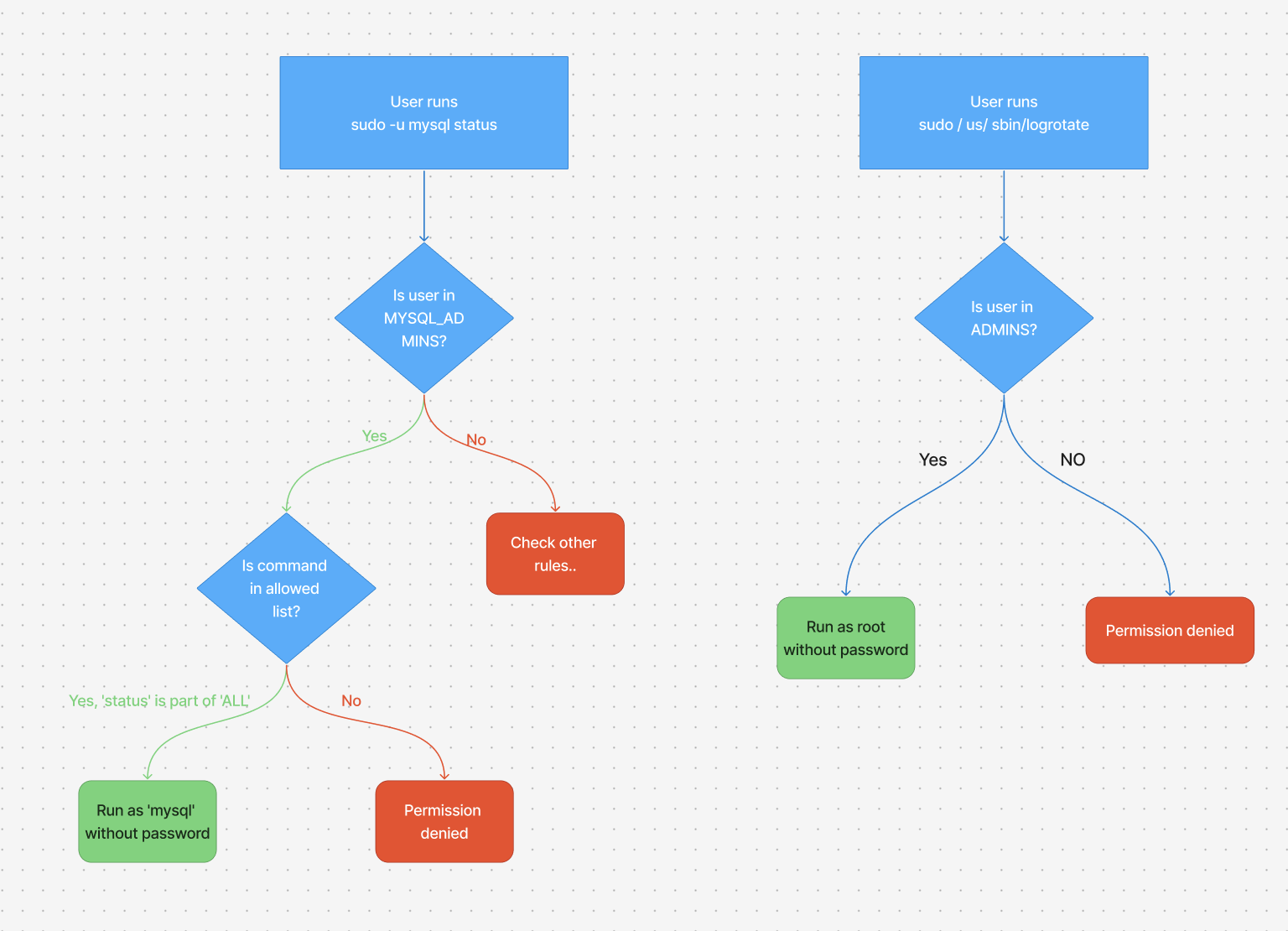
- ADMINS can run the logrotate without supplying a password.
- MYSQL_ADMINS can run any command as mysql without a password
- wheel group can run any command under any UID
This diagram illustrates the logical flow of how two of these key rules are evaluated when a user tries to run a command with sudo:
sudo without a control terminal
sudo can check for and reject if the requiretty option is turned on in the sudoers file
Defaults 		requiretty		# NOT secure # Enforces TTY
Defaults 		!requiretty		# Secure			# Disable TTY requirement (Allow non-interactive use)
- if enabled
- Commands allowed to run form terminal session (interactive shell)
- Running
sudofrom a script (without TTY) will fail ❌. echo "passwd" | sudo -S command(pipe intosudo) will fall ❌
- if disabled
- (Default mostly)
sudowill allow non-interactive execution (script , cron) ✅
- (Default mostly)
Conclusion: A Template for Success
When configuring sudo, always follow the Principle of Least Privilege: grant only the access necessary to perform a specific job.