The Linux Boot Process Explained: From BIOS/UEFI to Kernel
The Linux Boot Process: A Deep Dive
This process can be broadly broken down into four key stages

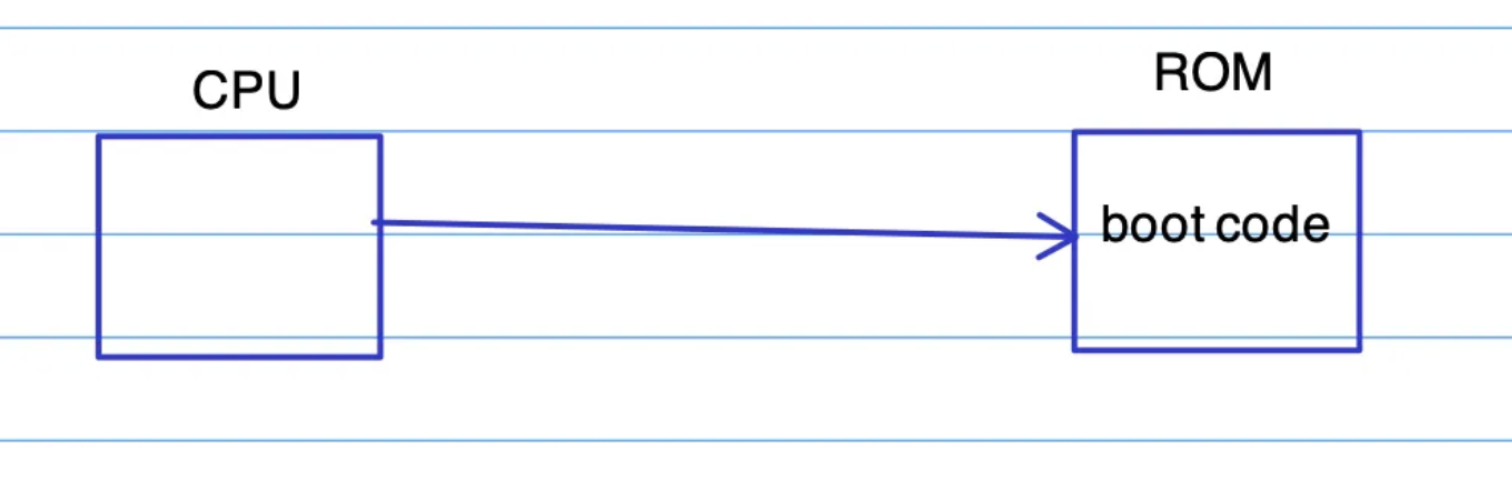
- System Firmware (BIOS/UEFI) Initialization: The moment you press the power button, the CPU executes code stored on a ROM chip on the motherboard.
- Bootloader Execution: The firmware finds and runs a special program called a bootloader (e.g., GRUB).
- Kernel Loading: The bootloader locates the Linux kernel on disk, loads it into memory, and passes control to it.
- Init Process and Userspace Start: The kernel initializes hardware, mounts the root filesystem, and starts the first user-space process (typically
systemdin modern distributions), which then brings the system to a usable state.
Stage 1: The System Firmware - BIOS vs. UEFI
The CPU reads the boot code from the motherboard's ROM, which launches either a BIOS or a UEFI environment.
filesystem check
filesystem mount
system daemon start
fully boot
The following pictuve shows system firmware options are BIOS and UEFI
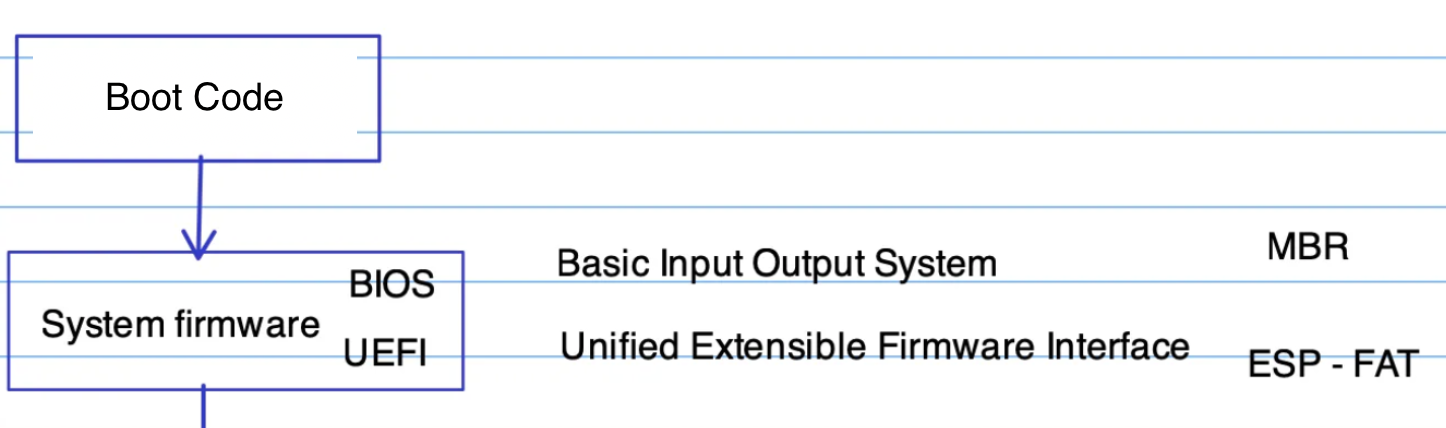
BIOS vs UEFI
The following diagram shows BOIS need MBR to have access to Boot loader while UEFI have direct access to Boot loader
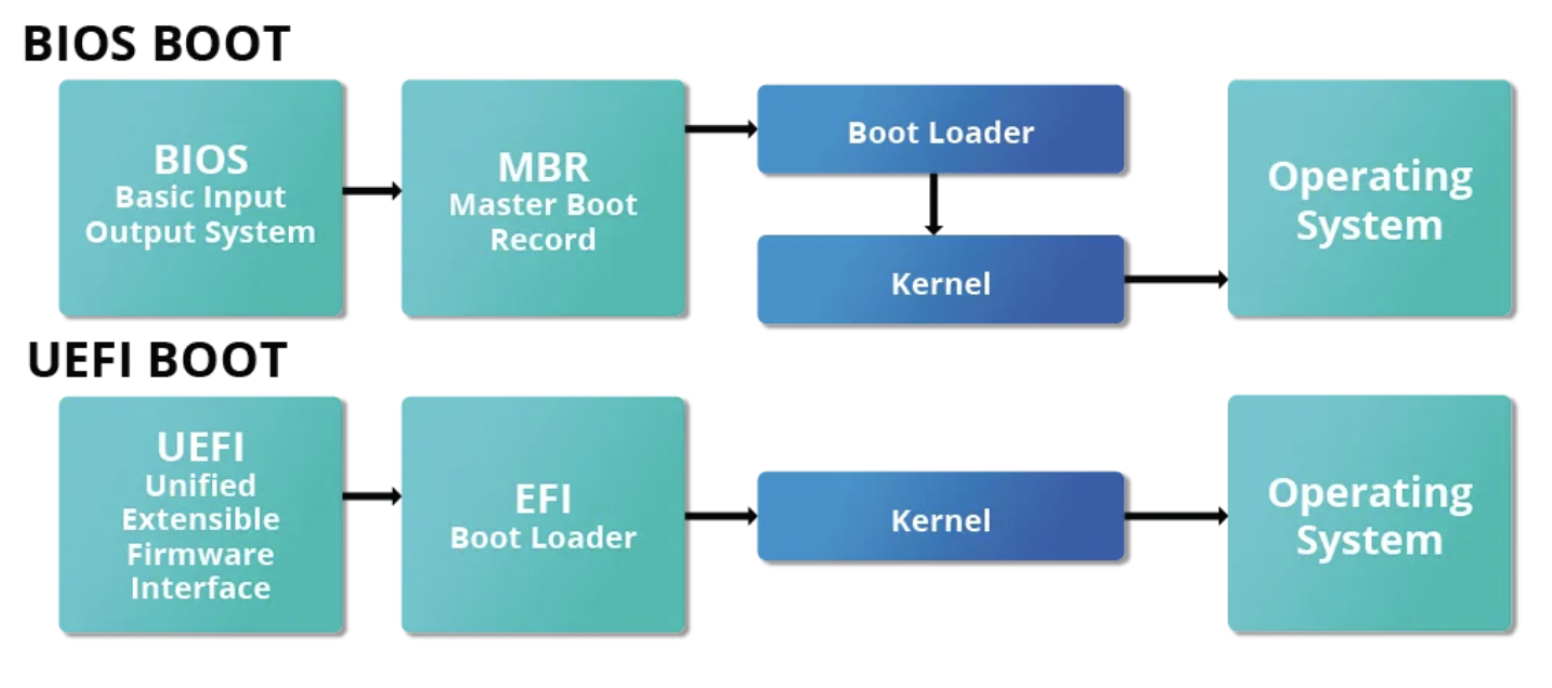
Legacy BIOS Boot
BIOS boot process has a significant limitation: it can only read the first 440 bytes (Master Boot Record - MBR) of a boot disk to find the next stage, the boot loader. while UEFI can have read loader partition (ESP) consulting GPT
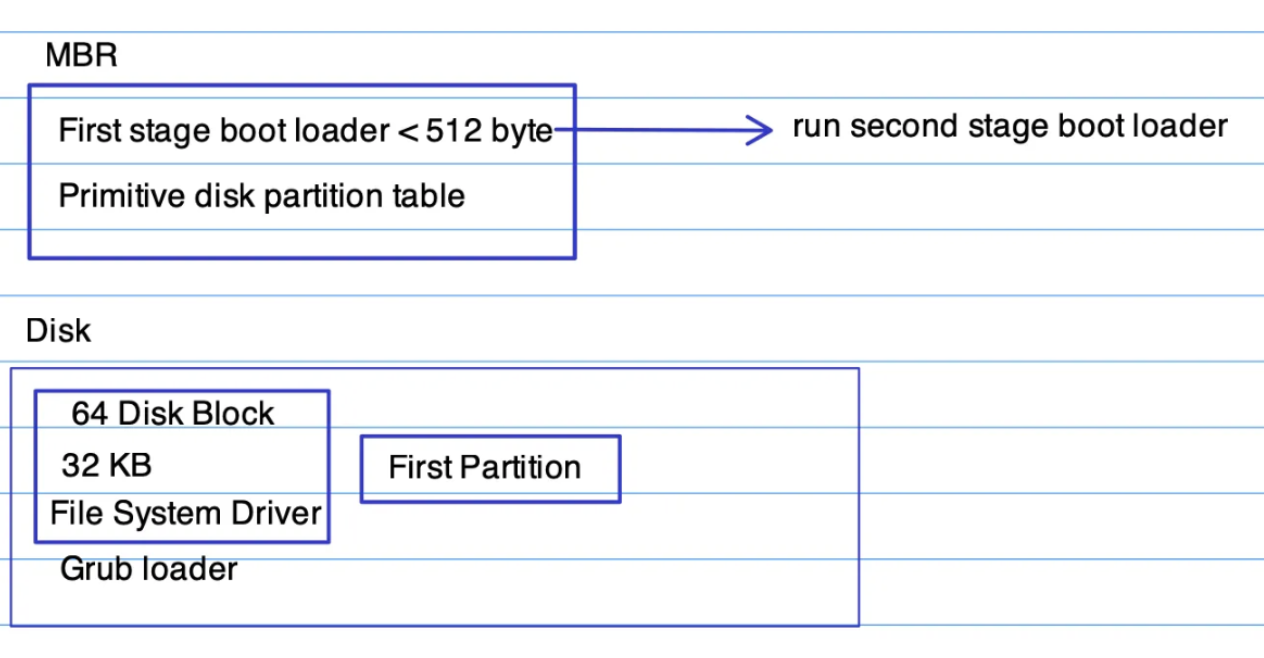
Modern UEFI Boot
UEFI (Unified Extensible Firmware Interface) is essentially a lightweight operating system with its own capabilities.
- GPT: It uses a GUID Partition Table (GPT), which is more robust and supports larger disks than the old MBR scheme.
- ESP: It reads from a special partition called the EFI System Partition (ESP), which is formatted with a FAT32 filesystem.
- Direct Loading: UEFI can directly read files from the ESP and execute them. This means the bootloader (e.g.,
grubx64.efi) is just a file in a directory, eliminating the need for the complex loading stages of BIOS.

The UEFI boot process is simpler:
- Firmware consults the GPT to identify the ESP.
- It reads the configured target application (e.g.
/efi/boot/bootx64.efi,/efi/ubuntu/grubx64.efi) and executes it.
You can view and manage UEFI boot entries in Linux using the efibootmgr command:
# List current boot entries
efibootmgr -v

# Change the boot order (e.g., make entry 0004 boot first, then 0002)
sudo efibootmgr -o 0004,0002
Stage 2: The Bootloader - GRUB 2
The bootloader's primary job is to identify, load, and hand control to the Linux kernel. The most common bootloader in the Linux world is GRUB (GRand Unified Bootloader).
GRUB also provides a user interface at boot time to:
- Select between different kernels or operating systems (in a dual-boot setup).
- Pass parameters to the kernel before it boots (e.g., entering single-user mode for recovery).
Configuring GRUB 2
You don't edit the main configuration file directly.
- The primary configuration file is
/boot/grub/grub.cfg(Do not edit this file manually!). - Instead, you edit helper files and scripts in
/etc/default/gruband/etc/grub.d/. - After making changes, you must regenerate
grub.cfg:
# On Ubuntu/Debian
sudo update-grub

# On RHEL/CentOS/Fedora
sudo grub2-mkconfig -o /boot/grub2/grub.cfg
Stage 3: Kernel and Init
Once GRUB loads the Linux kernel into memory and passes control, the kernel takes over:
- It decompresses itself.
- Initializes all hardware and drivers.
- Mounts the root filesystem (often with the help of an
initramfs). - Launches the first userspace process with Process ID (PID) 1. On most modern distributions, this is
systemd.
systemd is responsible for bringing the rest of the system online: mounting other filesystems, starting services, daemons, and finally presenting you with a login prompt.
Conclusion
The Linux boot process, while complex, follows a logical chain of trust: from firmware, to bootloader, to kernel, and finally to the init system. Understanding each step is a powerful tool for debugging boot failures, configuring advanced options, and appreciating how the system comes to life.
What boot issues have you encountered? Let me know on GitHub or LinkedIn!